
· Caliber Dynamics · Guides · 4 min read
Finding Trade Routes on UEX
Step-by-step guide to using the UEX trade route tools to find the most profitable commodity runs in Star Citizen.
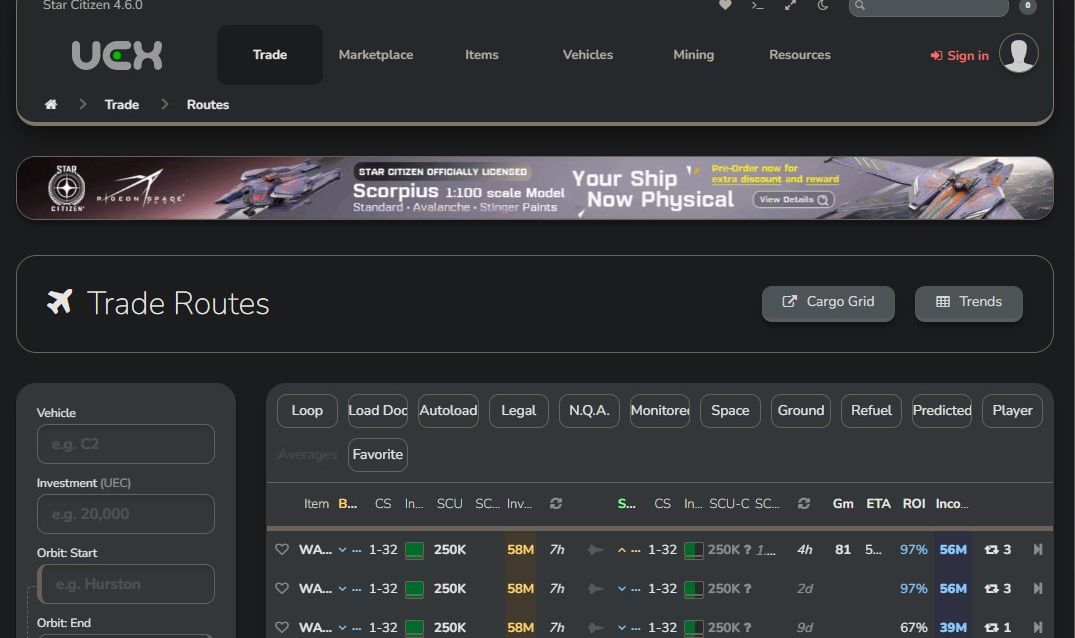
For traders in Star Citizen, finding the right trade route is crucial to maximizing profit while minimizing risk. The United Express Corporation (UEX) platform provides near real-time market data and trade route optimization tools that help traders make informed decisions. This guide will walk you through how to search for and choose the best trade routes using UEX. Remember that all data is subject to change at any time and may be out of date. All data is provided by players on UEX or SC Trade Tools.
Step 1: Access the UEX Trade Route Tool
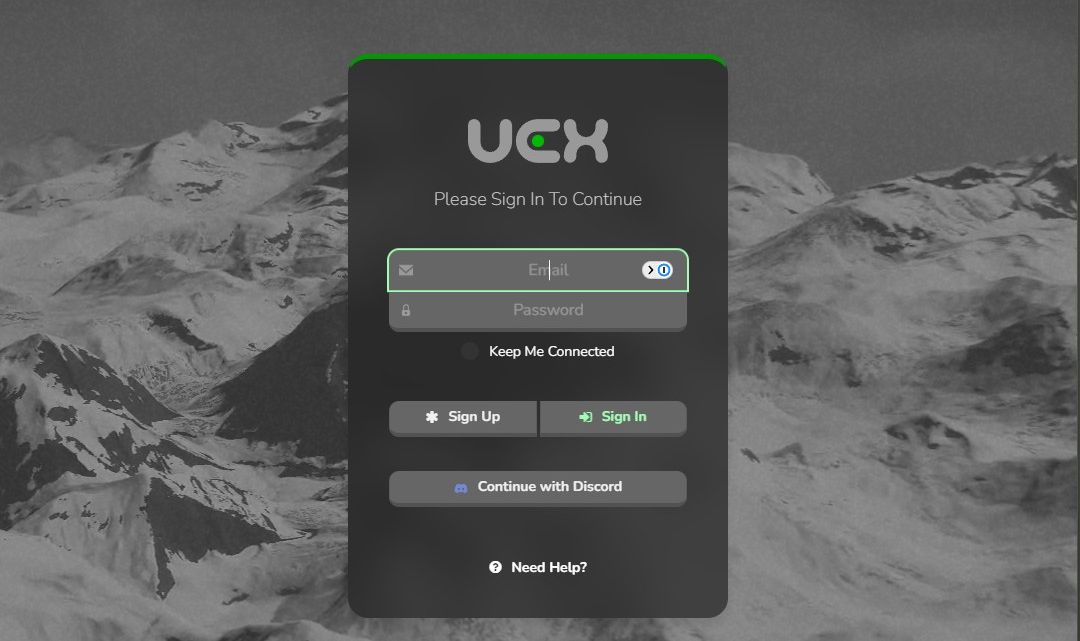
- Go to uexcorp.space and log in to your account.
- Navigate to the Trade tab and select the Routes section.
Step 2: Define Your Trade Parameters
To get the best results, adjust the following search filters. This will allow you to set specific parameters in order to meet your needs:
- Vehicle (optional): Choose your ship type. This will automatically adjust the amount of cargo you can carry.
- Investment (optional): Select an amount to invest.
- Starting Location (optional): Choose your departure location.
- Destination Options (optional): Set either a fixed destination or allow UEX to find the most profitable option.
- Ship Capacity (optional): Input your ship’s cargo capacity in the SCU section to ensure accurate profit calculations.
- Commodity Preference (optional): Filter by specific commodities if you have a preference for items like metals, processed goods, or raw materials.
- Distance (optional): Choose a maximum distance between start and end.
- Maximum Container Size (optional): Chose a maximum container size.
- Maximum Weight (optional): Select a maximum weight.
- Factions (optional): Choose a preferred faction to deal with.
Step 3: Refine Your Search with Additional Filters
To narrow down your trade route options even further, UEX allows for additional filtering based on specific route preferences:
- Loop: Prioritize trade routes that form a profitable loop for continuous trading.
- Load Dock: Filter based on docking availability at trade hubs.
- Autoload: Select routes where automated loading/unloading is supported.
- Legal: Choose only legally permitted trade routes.
- Monitored: Opt for routes that are closely monitored for security.
- Space: Prefer space-based trade locations only.
- Refuel: Consider routes with convenient refueling stations along the way.
- Predicted: View estimated player trading trends to anticipate market saturation.
- Favorite: Display only your frequently used or saved trade routes.
Step 4: Analyze Trade Route Data
UEX provides detailed data for each trade route to help you make the most informed decisions. Here are the key factors to consider:
- Commodity: The item being traded.
- Buy at: The location where you pick up the commodity.
- CS (Max Container Size): The largest available container at the pickup location for transport.
- Inventory: The estimated amount of inventory available at the pickup location.
- SCU: The amount of the commodity to purchase based on ship capacity.
- Investment: The cost to purchase the listed SCU quantity.
- Sell at: The location where you deliver and sell the commodity.
- CS (Drop-off): The maximum container size available at the destination.
- Inventory (Drop-off): The estimated amount of inventory at the drop-off location.
- SCU-C: The amount of cargo space required at the destination.
- GM: The distance between pickup and drop-off locations.
- ROI (Return on Investment): The expected profit percentage from the trade.
- Tons: The total weight of the trade load.
- Income: The estimated profit from a completed trade.
- Loop Routes: Some routes are displayed with a circular icon, indicating a loop. Click on the loop icon to reveal the return load information.
When reviewing your options, also consider:
- Price Spread: The difference between buy and sell prices determines profitability.
- Distance & Quantum Travel Time: Longer routes may yield higher profits but require more fuel and time.
- Supply & Demand Trends: Commodity prices fluctuate based on player activity, availability, and trade volume.
- Player & NPC Activity: High-traffic routes may experience increased piracy or competition.
Step 5: Selecting the Best Route
When choosing a trade route, pick routes that offer:
- High profit per unit ratio to maximize earnings per cargo slot.
- Efficient travel distance to minimize fuel and time costs.
- Stable markets with consistent supply and demand.
- Security considerations to avoid unnecessary risks on long-haul runs.
Step 6: Execute the Trade Route
- Purchase the commodity at the supply location’s TDD or Admin kiosk.
- Plan your route in the Star Map for efficient navigation.
- Monitor the market before arrival to confirm price stability.
- Sell cargo at the destination and record your earnings.
Bonus Tips for Successful Trading
- Diversify Your Routes: Running the same route repeatedly may cause price drops due to market saturation.
- Monitor UEX Updates: Prices change frequently; always verify before committing to a run.
- Use Escort Protection: For high-value cargo, consider hiring security to mitigate piracy risks.
- Be Aware of Game Updates: Star Citizen’s economy evolves over time, affecting trade viability.
Conclusion
Using UEX to find and optimize trade routes is essential for any serious trader in Star Citizen. By leveraging real-time data and strategic planning, you can increase profits, reduce risks, and improve efficiency. A well-researched route can make the difference between breaking even and building serious wealth.
Start planning your trade routes today.
Discussion